

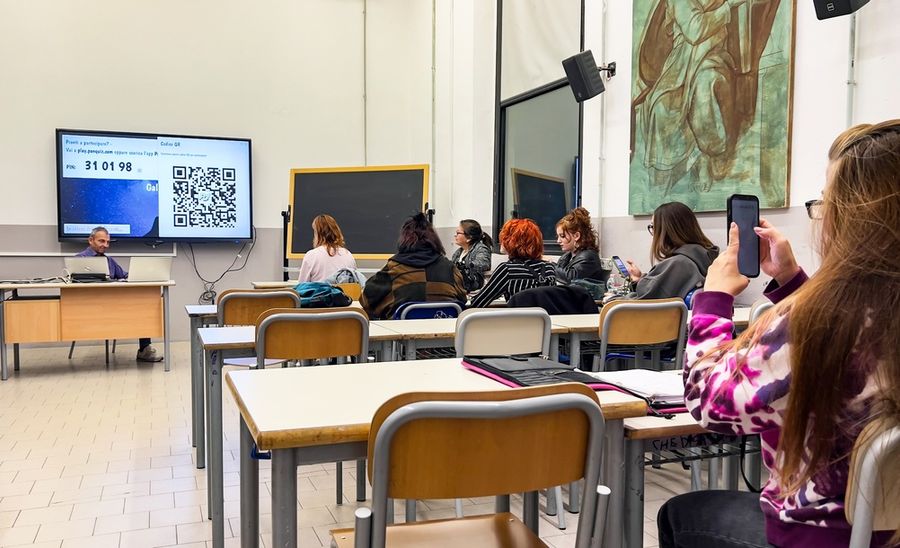
QR codes can turn ordinary classroom materials into gateways to interactive learning. Scannable patterns allow students to open educational videos, listen to recordings, and complete activities without typing lengthy web addresses. Teachers can incorporate them into printed worksheets, classroom displays, and collaborative projects to connect physical spaces with online resources. With thoughtful planning, QR codes can support active participation, encourage independent exploration, and introduce fresh approaches to familiar lessons across multiple subjects and grade levels.
Start With Simple QR Code Activities
Teachers don't need specialized programming skills to create classroom QR codes. One straightforward method uses Google Chrome's built-in QR code generator. Open the webpage students should visit, select the browser's menu, navigate to the sharing options, and choose Create QR Code. Download the resulting image and insert it into a worksheet, presentation, or classroom sign.
Before distributing the activity, scan the code with a student device to confirm that it opens the correct resource. Teachers should also check whether students need accounts or special permissions to view the material. Providing a short written URL alongside the code ensures students can still access the activity if scanning isn't possible.
Turn Classroom Scavenger Hunts Into Research Activities
A QR code scavenger hunt encourages students to move around the classroom while gathering information. Instead of hiding objects, teachers can place codes at different stations, each linking to a question, source document, or short educational resource. Students scan the codes, investigate the material, and record their findings on an accompanying worksheet.
For example, a fifth-grade teacher could design a scavenger hunt about the American Revolution. One station might feature a historical document, while another links to information about an important event. Students would collect evidence to answer a broader historical question. The Scavenger Hunt Notes teaching strategy offers a practical model for using QR codes in self-paced classroom investigations.
Bring Science Stations to Life
Science teachers can use QR codes to connect physical learning stations with explanations, demonstrations, and investigation prompts. A classroom studying ecosystems might feature several stations representing forests, deserts, grasslands, and wetlands. Each code could link to a short resource introducing the environmental conditions and organisms found in that ecosystem.
Students could then complete a comparison chart identifying differences in climate, vegetation, and animal adaptations. Rather than simply watching informational videos, they would use the materials to answer targeted questions. Teachers can also link codes to instructions for handling laboratory equipment, helping students review procedures before beginning supervised experiments.
Create Audio-Supported Reading Activities
QR codes can make reading activities more flexible by connecting printed passages with recorded narration. Teachers can record themselves reading a short story or vocabulary passage, upload the recording to a school-approved platform, and generate a code linking to the audio. Students can scan the code to hear the passage while following the printed text.
This approach can be useful for pronunciation practice, language learning, and independent reading stations. For example, an elementary teacher could attach codes to selected classroom books, allowing students to hear challenging vocabulary before reading. However, recordings should supplement rather than replace direct reading instruction, and students should have access to headphones or alternative listening arrangements.
Build Interactive Museum Walks With Student Projects
A classroom gallery walk can become more informative when student-created displays include QR codes linking to supporting materials. In a history unit, students might prepare exhibits about different civilizations, combining printed summaries with links to primary sources, short presentations, or recorded explanations.
A visitor could scan each code, explore the additional material, and complete a reflection activity. The classroom gallery walk approach demonstrates how QR codes can connect physical displays with digital resources. Teachers should review student submissions before sharing them and use school-approved platforms with appropriate privacy settings.
Give Students Immediate Access to Practice and Feedback
QR codes can also connect assignments with targeted assistance. A mathematics teacher might place a code beside a challenging problem that links to a worked example or instructional explanation. Students could attempt the problem independently before scanning the code if they need additional guidance.
Another option involves linking codes to short self-check quizzes. After completing a lesson on fractions, students could scan a code leading to a teacher-created assessment. Their responses could help identify topics needing additional explanation. When using online quizzes, teachers should choose tools consistent with school privacy policies and avoid collecting unnecessary personal information.
Make QR Code Activities Accessible to Everyone
Successful QR code lessons require more than functioning links. Not every student has a smartphone, and some classrooms restrict personal devices. Teachers can arrange shared tablets, organize small-group activities, or provide printed materials containing the same information. Students who cannot use a camera or navigate a linked resource should have an equivalent way to participate.
Device access is particularly important when planning activities across different age groups. Recommendations for classroom QR code implementation emphasize checking technology availability and preparing alternatives when connectivity is unreliable. Teachers should also inspect destinations for inappropriate advertising, inaccessible content, or requests for student information.
Connecting Classroom Curiosity With Digital Exploration
QR codes work best when they make an educational activity more useful rather than simply adding technology to an existing worksheet. Scavenger hunts can strengthen research skills, science stations can encourage investigation, and student-created exhibits can support communication and collaboration. Each activity should begin with a clear learning objective and provide students with a meaningful task.
Teachers can start with one small project, such as adding a code to a reading passage or introducing a short classroom research trail. After observing how students respond, they can refine the instructions and expand their activities. Used purposefully, QR codes offer a simple way to connect classroom learning with resources that encourage students to explore, question, and participate.